
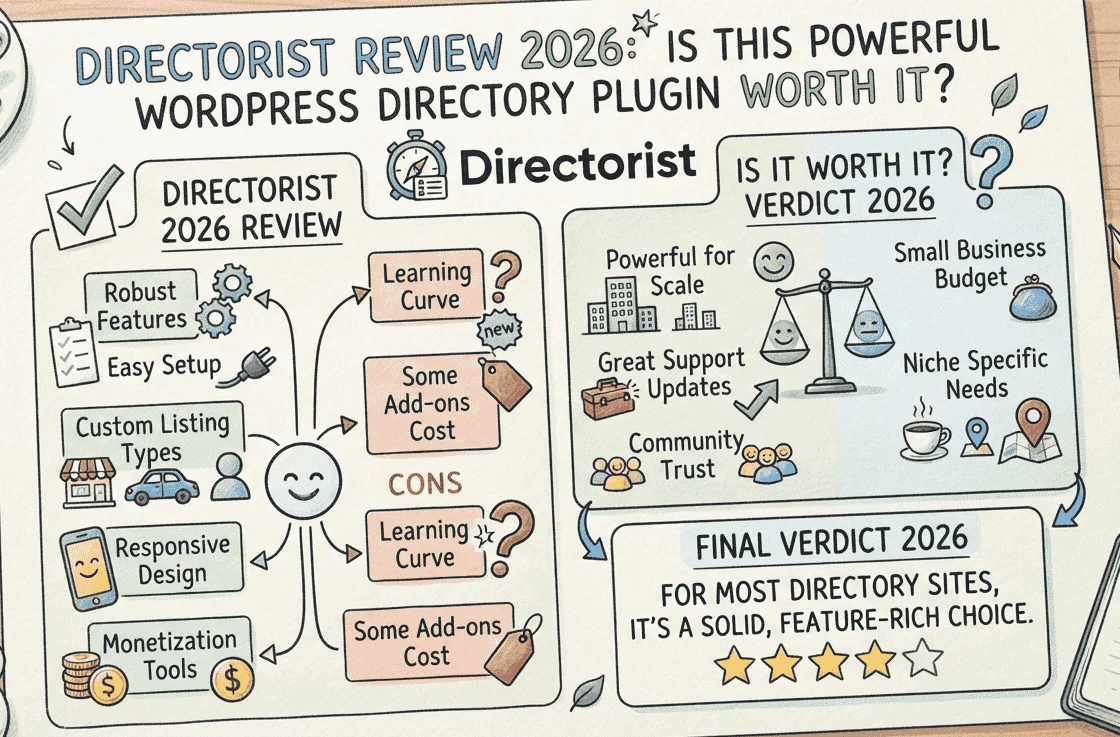
Directorist review: if you want to build a directory website on WordPress in 2026 and you are researching whether this plugin is actually worth it, this guide gives you a straight, honest answer based on real features, real pricing, and real user feedback.
In this complete Directorist review for 2026, I cover every key feature, the full pricing breakdown, monetization options, pros and cons, how it compares to alternatives, and who it is genuinely built for, so you can make the right decision before spending a dollar.
What Is Directorist?
Directorist is, in my assessment, the most complete WordPress directory plugin currently on the market for anyone serious about building and monetizing a niche directory.
In practical terms, Directorist transforms any standard WordPress installation into a fully featured business listings and directory platform. Think of the websites you use every day- Yelp, TripAdvisor, Zillow, Indeed- and imagine building your own version of those in your chosen niche, directly on WordPress, without writing a single line of code.
With over 590 five-star reviews and 20,000-plus active directory owners, Directorist has established itself as the go-to WordPress directory solution for everything from local business directories and restaurant guides to job boards, real estate listings, and classified ad platforms.
This Directorist review matters in 2026 because the plugin has recently added AI-powered setup assistance, a native mobile app system, and Google Maps data import, making it a significantly more complete solution than it was just one year ago.
Who Is Directorist Built For?
Before going into features, it is worth being honest about who actually benefits from a tool like this.
You are a strong fit for Directorist if you fall into one of these categories: aspiring directory entrepreneurs who have identified a niche, local restaurants, dentists, lawyers, freelancers, rental properties, job listings, and want to build a business around connecting searchers with providers. Directorist gives you the entire infrastructure without hiring a developer.
Directorist is also the right choice if you are:
A WordPress developer or agency building directory sites for clients. The plugin’s developer-friendly architecture, extensive hooks and filters, REST API, and multi-directory system make it suitable for complex bespoke directory projects.
A business owner who wants to add a directory section to an existing WordPress site, for example, a regional magazine adding a local business directory, or a membership site adding a service provider finder.
Directorist is not the right fit if you just want a simple list of resources or tools on a blog post that does not need a full directory plugin. It is also not ideal if you are not comfortable managing WordPress plugin updates and hosting performance for a database-heavy site.
Directorist Key Features Explained
1. Multi-Directory System, Run Multiple Directories From One Dashboard
This is the standout feature that separates Directorist from most competitors in this Directorist review. Directorist’s Multi-Directory system lets you create, manage, and scale unlimited directory types, each with its own custom fields, search filters, and layout, all from a single WordPress dashboard.
In practice, this means you could run a restaurant directory, a hotel directory, and a job board simultaneously on one WordPress site, each with completely different submission forms, categories, and search filter configurations. Competitors typically require separate installations or plugins to achieve this.
2. Advanced Search and Filtering
Directorist’s search is built to match the way real users think. With 14 configurable search filters, geolocation-based results, radius search, and full custom field filtering, your users find the right listing in seconds.
This means a visitor on your dentist directory can filter by specialty, location radius, price range, insurance accepted, and languages spoken, all from the same search interface, all without page reloads. The Ajax-powered search updates results instantly as filters are applied.
3. Drag-and-Drop Form Builder
The drag-and-drop custom fields system lets you create listing types with any fields you need: “Hourly Rate”, “Licensed”, “Years of Experience”, tailored exactly to your niche. No coding required. This flexibility is what allows the same plugin to power a car directory, a doctor directory, and a freelancer marketplace, each with completely different data structures.
4. AI-Powered Setup Assistant
New in 2026, Directorist’s AI assistant guides directory setup through natural language input. Instead of working through settings panels manually, you describe your directory concept and the AI configures the initial structure, field types, categories, search filters, and layout, based on your description. This dramatically reduces initial setup time for users building their first directory.
5. Google Maps Data Import
Also new in 2026, Directorist can import real local business data from Google Maps and public sources into your website in bulk. This solves the most common practical challenge with new directory sites, launching with an empty database. You import real businesses into your directory first, let Google index the pages, and then approach those business owners to claim and upgrade their listings. This is the fastest legitimate path to a monetizable directory with real content from day one.
6. Native Mobile App System
Directorist includes a companion mobile app builder that creates native iOS and Android apps synced directly with your WordPress directory database. Visitors can browse listings, submit reviews, search by location, and save favorites, all from a native app experience rather than a mobile browser. This capability is typically only available in enterprise SaaS directory platforms, not WordPress plugins.
7. Claim Listing Monetization
The Claim Listing feature is Directorist’s killer monetization tool. Business owners find their listing in your directory, which you pre-populated using the CSV or Google Maps import, and pay to claim it, add their contact details, link to their website, and mark it as verified. This creates a self-funding directory where businesses actively seek you out, rather than requiring you to sell advertising space cold.
8. Frontend Submission and User Dashboard
Listing owners manage their own content entirely from the frontend, no WordPress admin access required. They submit new listings, renew subscriptions, update their information, and respond to reviews from a dedicated user dashboard. This reduces your management overhead significantly on large directories with many independent listing owners.
9. SEO Optimization Built In
Directorist boosts SEO with custom meta titles, descriptions, and Yoast SEO integration. It fully supports RTL languages like Arabic and integrates with Rank Math for complete schema markup on listing pages. Each listing gets its own indexable URL, making every business in your directory a separate SEO asset that can rank individually in Google.
Directorist Monetization Options
This is where Directorist genuinely stands apart from free directory plugins, and it is the most important section of any Directorist review for anyone planning to build a revenue-generating site.
You can charge businesses for listing submissions, offer featured placement for premium visibility, set up subscription pricing plans, or earn commissions on bookings.
Here are the specific monetization models Directorist supports:
Pay-per-listing: Charge businesses a one-time fee to submit their listing to your directory. Set different prices for different categories or listing types.
Featured listing fees: Charge businesses extra to appear at the top of search results or in promoted positions. This is available even in the free version of Directorist.
Subscription plans: Sell monthly or annual membership packages to listing owners. Higher tier subscriptions unlock more photos, video embeds, premium placement, and extended listing features.
Claim listing fees: Charge unclaimed businesses to verify and take ownership of their pre-existing listing in your directory.
Booking commissions: If your directory includes a booking extension, you can charge a commission percentage on every reservation made through your directory.
Combined, these monetization tools give you the foundation for a directory business model similar to what Yelp, Angi, or Houzz use, delivered through a self-hosted WordPress plugin.
Directorist Pricing Plans 2026
The core Directorist plugin is completely free to download and use from the WordPress repository. It includes all essential features for a basic directory, while advanced functions require paid extensions.
Here is the full pricing breakdown:
| Plan | Price | Sites | What Is Included |
|---|---|---|---|
| Free | $0 | Unlimited | Core plugin, basic directory, frontend submissions |
| Personal | ~$119 per year | 1 site | All premium extensions and themes |
| Professional | ~$199 per year | 3 sites | All extensions, themes, priority support |
| Agency | ~$299 per year | Unlimited | All extensions, themes, priority support |
| Lifetime | ~$599 one-time | Unlimited | Everything, no renewals |
Every paid plan includes:
- Access to all 28 plus premium extensions
- All premium directory themes
- Priority customer support
- Automatic updates
- 14-day money-back guarantee
Every membership includes access to all our premium themes and extensions, plus premium support and automatic updates. You also get new products released while your subscription is active. If you choose Lifetime, you get the same access for life.
For serious directory entrepreneurs, the Lifetime plan at around $599 one-time is excellent value; it eliminates annual renewal costs while giving you access to every current and future extension.
For agencies building directory sites for clients, the Agency plan at around $299 per year covers unlimited sites, making it highly cost-effective when spread across multiple client projects.
👉 Get Directorist — See All Plans and Pricing 👉 Visit Directorist Official Website
Directorist Pros and Cons
Pros
1. Most complete free version of any directory plugin: The free core plugin is genuinely functional. You can build and launch a real directory site without paying anything. Monetization and advanced features require paid extensions, but the foundation is solid and unrestricted.
2. Multi-directory system is unique: Running unlimited directory types with separate configurations from one WordPress dashboard is a capability most competing plugins charge significantly more for or do not offer at all.
3. AI setup assistant speeds up launch: The 2026 AI integration reduces initial configuration time significantly, especially for users building their first directory. Natural language setup is a genuine practical improvement over navigating settings panels manually.
4. Google Maps import solves the empty database problem: Launching a directory with real, indexed content from day one is the most important practical advantage for new directory sites. This feature directly addresses the hardest challenge in building a monetizable directory.
5. Extensive monetization toolkit: Pay-per-listing, featured placements, subscriptions, claim listing fees, and booking commissions give you multiple revenue streams from a single plugin installation.
6. 590 plus five-star reviews: Real user feedback across WordPress.org and G2 consistently rates support quality and feature depth as the plugin’s strongest points.
7. 14-day money-back guarantee: You can test the paid features risk-free. If Directorist does not fit your project, you get a full refund within 14 days.
Cons
1. Extensions are annual subscriptions: Nowhere on the plugin page does it mention these are annual subscriptions. You will only discover this at the final checkout step. The bundled plans address this, but individual extension buyers should check renewal terms carefully.
2. Performance requires good hosting: Directorist requires good hosting for a large directory. A site with thousands of listings, map views, and Ajax search is database-intensive. Budget shared hosting will struggle under load. A quality managed host like Cloudways is strongly recommended for any directory with significant traffic.
3. Learning curve for complex setups: The many options can be overwhelming sometimes. Simple directories are straightforward to set up. Complex multi-directory builds with custom monetization flows take more time to configure correctly.
4. Some advanced features require CSS knowledge: Because it is a plugin, it adopts the styling of your active WordPress theme. If your theme is poorly coded, the directory pages might require custom CSS to look perfect.
Directorist vs Competitors
Directorist vs GeoDirectory
GeoDirectory is Directorist’s closest competitor. GeoDirectory is older and has a larger install base, but its free version is more limited and its premium bundle costs more than Directorist’s equivalent tier. Directorist’s multi-directory system and AI setup assistant give it a meaningful advantage for new directory builds in 2026.
Directorist vs HivePress
HivePress is a newer, more modern-looking plugin focused on specific directory niches, freelancer marketplaces, service directories, and classified ads. It has a cleaner default design but less flexibility than Directorist for custom field structures and multi-directory setups. For general-purpose directory sites, Directorist is more versatile.
Directorist vs Business Directory Plugin
Business Directory Plugin is simpler and easier to set up for basic use cases but lacks Directorist’s monetization depth, multi-directory capability, and modern AI features. For anyone building a serious, revenue-focused directory, Directorist is the stronger choice.
Final Verdict: Is Directorist Worth It in 2026?
Yes, Directorist is absolutely worth it in 2026 for anyone serious about building a directory website on WordPress.
Directorist is a top-tier choice for most WordPress directories. The AI integration sets it apart from older competitors, and its free core version offers tremendous value.
The free version alone is enough to launch a real, functional directory. The paid extensions unlock the monetization toolkit that turns a directory site into a revenue-generating business. The 2026 AI setup assistant and Google Maps import feature make launching faster and more practical than any previous version of the plugin.
For local SEO specialists, niche directory entrepreneurs, and WordPress agencies building directory projects for clients, Directorist delivers everything you need in one well-supported, actively developed plugin.
The 14-day money-back guarantee removes any financial risk from trying it. Start with the free version to confirm the basics work for your project, then upgrade to the plan that matches your scale.
👉 Get Directorist Free — WordPress.org 👉 Upgrade to Directorist Pro — See All Pricing
Frequently Asked Questions
Is Directorist really free? Yes, the core Directorist plugin is completely free to download and use from the WordPress repository. It includes all essential features for a basic directory, while advanced functions require paid extensions. You can build and launch a functional directory site without spending anything. Monetization features, advanced themes, and premium extensions require a paid plan.
How much does Directorist cost? The core plugin is free. Paid plans start from around $119 per year for the Personal plan covering one site, up to around $299 per year for the Agency plan covering unlimited sites. A Lifetime plan at around $599 one-time covers unlimited sites with no annual renewal. Individual extensions start from $29 per year.
Can I build a Yelp-style directory with Directorist? Yes. Directorist supports frontend business submissions, user reviews and ratings, category and location filtering, map integration, featured listing fees, and claim listing monetization, the same core features that power sites like Yelp and TripAdvisor, delivered through a self-hosted WordPress plugin.
Does Directorist work with Elementor? Yes. Directorist is compatible with Elementor, Gutenberg, and Oxygen Builder. You can customize listing templates and directory pages using your preferred page builder. It also works with popular themes like Astra and GeneratePress.
What hosting does Directorist recommend? For small directories, most quality shared hosting plans work. For larger directories with thousands of listings and high traffic, a managed cloud host with dedicated resources, such as Cloudways on DigitalOcean or AWS, is recommended. See the Best WordPress Hosting 2026 guide for the top options.
Does Directorist have a money-back guarantee? Yes, Directorist has a 14-day money-back guarantee. If you think the product is not a perfect fit for your needs, they will refund you within the first 14 days of your purchase.
Need a WordPress expert to build a custom directory site using Directorist? I offer professional WordPress development services including complete Directorist setup, custom field configuration, monetization integration, and performance optimization. Contact me here.
Written by the WordPress Expert at wpexpertlab.com
Also read: Crocoblock Review 2026 | Elementor Pro Review 2026 | Best WordPress Hosting 2026 | Cloudways Review 2026


I liked that you focused on practical factors like pricing, monetization, and real user feedback instead of just listing features. One thing that could make the review even more useful is including a few examples of how the plugin performs as the number of listings grows, since scalability is often a deciding factor for directory sites.
[…] Review 2026 | GeneratePress Review 2026 | Elementor Pro Review 2026 | Crocoblock Review 2026 | Directorist Review 2026 | Mangools Review […]
[…] read: Directorist Review 2026 | Best WordPress Hosting 2026 | Cloudways Review 2026 | WordPress Custom Plugin Development […]